Video Dating App Development: How to Build a Dating App with Live Video Calls and Speed Dating
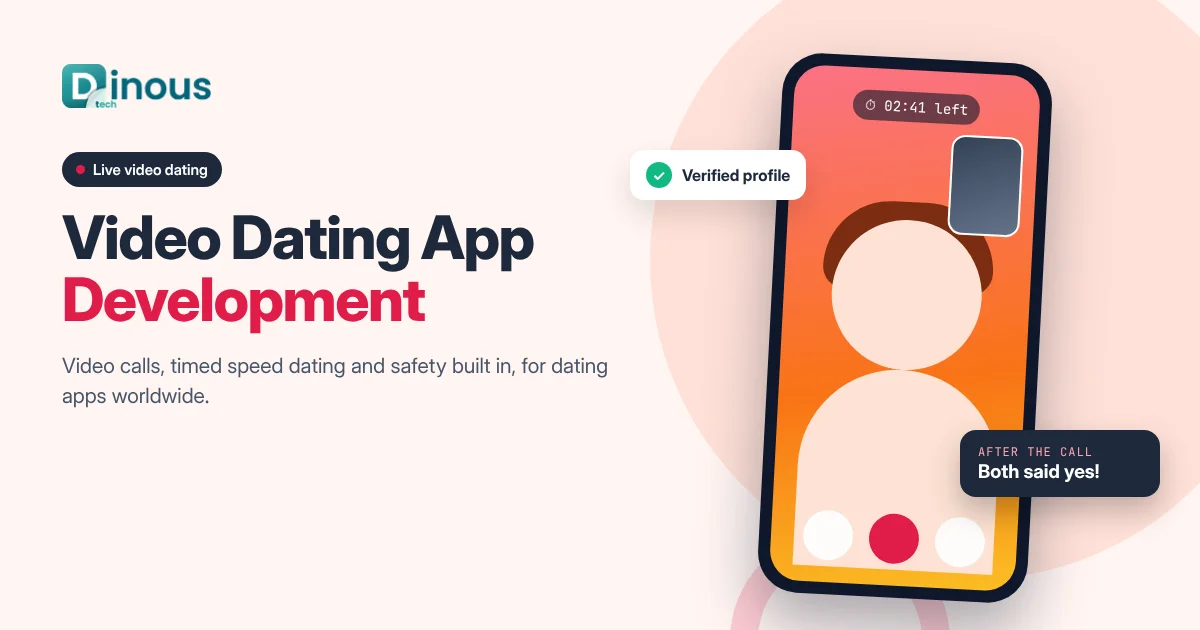
Swiping and texting can go on for days before two people find out whether they actually click. Video changes that. A two-minute call shows a smile, a voice and a sense of humour that no profile can. Video dating app development is the process of building a dating app where video is part of the core experience: video profiles, one-to-one video calls between matches, timed video speed dating and live dating events. This guide explains how to build a video dating app in 2026: the types of video dating products, the features users expect, how to keep calls safe, the step-by-step process, tech stack, AI, monetization, cost factors and a realistic timeline. It is written for founders, matchmaking businesses and dating brands worldwide, from the USA, UK and Europe to the UAE and Australia.
Dinoustech is a dating app development company that builds swipe, matchmaking and niche dating apps for clients around the world. The advice below comes from the questions dating founders ask us most often when they plan video features.
Key Takeaways
- Video helps users check chemistry and authenticity early, which can mean fewer wasted chats and fewer fake profiles.
- The main formats are video profiles, video calls between matches, timed video speed dating and hosted live events.
- Calls should be opt-in and mutual: video unlocks only after a match and both users agree.
- Safety is the biggest product challenge: verification, real-time moderation, blur and privacy controls, and one-tap reporting.
- Use a proven real-time video SDK or WebRTC infrastructure instead of building video servers from scratch.
- AI helps with matching, moderation, icebreakers and support, and it speeds up development.
What Is a Video Dating App?
A video dating app is a dating app where people get to know each other through video, not only photos and text. Some apps make video the main way to meet: users join short, timed video dates with new people and decide afterwards whether they want to match. Others keep the familiar profile-and-match flow and add video profiles and in-app video calls, so matches can have a "virtual first date" before meeting in person.
Video dating is different from random video chat apps. Random chat apps connect strangers with little or no profile, filter or intent. A video dating app is built around dating intent: real profiles, preferences, mutual consent before a call, verification and a clear path from first call to real date. That difference shapes the whole product, especially safety.
Why Add Video to a Dating App
Major dating apps have added video calling between matches, usually as an optional feature that both people must agree to. Several newer apps go further and build the whole experience around short video dates. The reasons are practical:
- Faster chemistry checks: users learn in minutes what might take days of texting.
- More trust: it is much harder to fake a live face and voice than a set of photos.
- Safer first meetings: a call before meeting in person helps users feel more confident.
- Long-distance and busy users: video dates work across cities and time zones.
- Events and community: matchmakers, clubs and communities can host online speed-dating nights.
Video is not for everyone, though. Some users are not comfortable on camera with strangers, so the best apps keep video optional and give people control. If you are still shaping your core dating product, start with our dating app development process guide.
Types of Video Dating Apps
1. Swipe or Match Apps with Video Calls
The classic model: users match first, chat, and can then start a video call when both agree. This is the easiest way to add video to an existing app like the one in our guide to building a dating app like Tinder.
2. Video Profile Apps
Users record short video intros or answer prompts on video. Profiles feel more real, and the app can still work asynchronously.
3. Video Speed Dating Apps
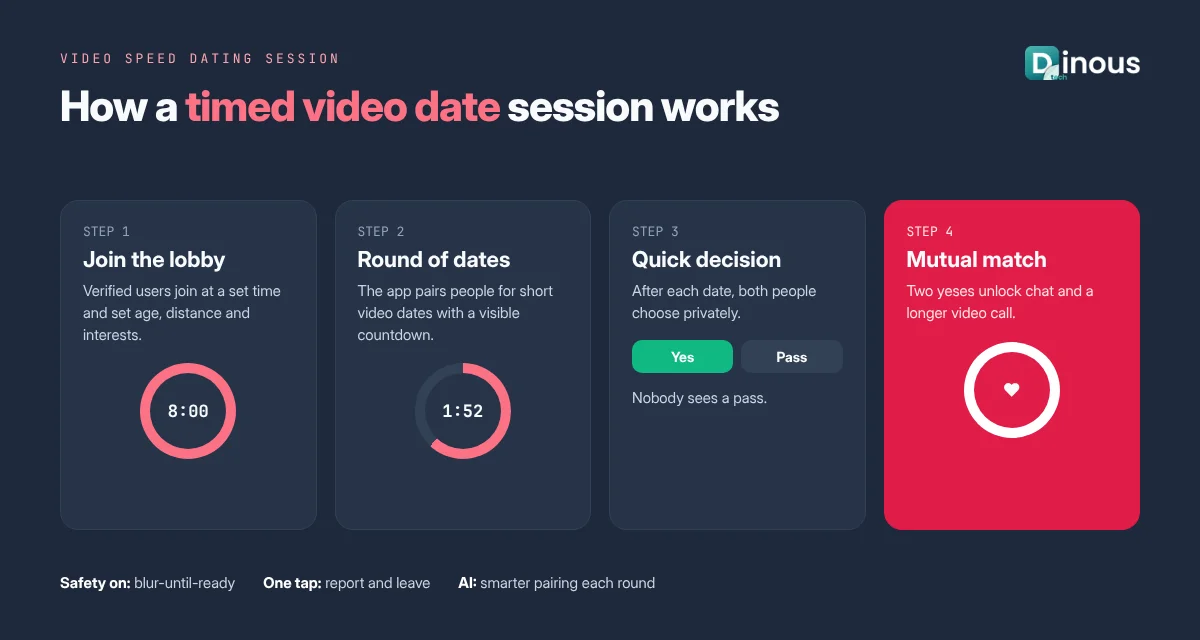
Users join a session at a set time and are paired for a series of short, timed video dates, often a few minutes each. After each date, both say yes or no, and mutual yeses become matches.
4. Live Dating Events
Hosts run themed online events: singles nights for a city, a profession, an age group or a community. The host can manage rooms, rounds and pairings.
5. Matchmaker-Led Video Dating
Professional matchmakers schedule and moderate video introductions between clients. This suits premium and niche matchmaking businesses.
Key Features: User and Admin
User App Features
- Sign-up with phone, email, Google or Apple, plus selfie or video verification
- Profile with photos, short video intro and prompts
- Preferences: age, distance, gender, interests and relationship goals
- Matching through swipes, AI suggestions or speed-dating rounds
- Text chat with icebreaker prompts
- One-to-one video and voice calls that unlock only after a match and mutual consent
- Timed video dates with a visible countdown and an easy "end call" button
- Blur-until-ready, camera off by default and background blur options
- Post-call feedback: "want to meet again?" and private notes
- Event lobby to join scheduled speed-dating sessions
- Report, block and unmatch from inside the call screen
- Subscriptions, boosts and event tickets
Admin Panel Features
- User management, verification review and bans
- Event scheduling, room settings, round length and pairing rules
- Report queue with call metadata and moderation actions
- Content moderation settings and AI alerts
- Subscription, pricing, coupon and refund management
- Analytics on matches, call minutes, event attendance and revenue
Safety for Live Video
Live video is powerful, and it also brings new risks. Safety has to be designed into the product from the first sprint, not added later.
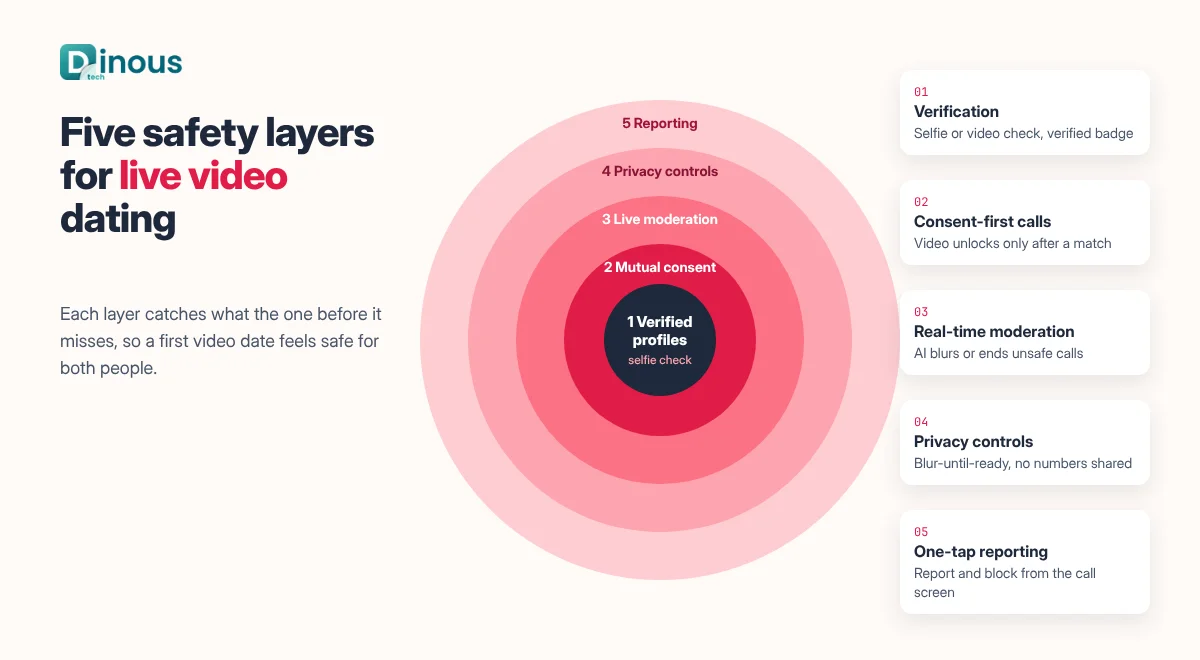
- Verification: selfie or short video verification compared against profile photos, with a verified badge.
- Consent-first calling: no calls from strangers. Video unlocks only after a match, and both users must accept.
- Real-time moderation: machine learning models can detect nudity or harmful content in video frames and blur or end a call, with human review for reports.
- Privacy controls: blur-until-ready, no phone numbers shared, and blocked screenshots where the platform allows it.
- One-tap reporting: report and block directly from the call screen, with fast action from the admin team.
- Safety education: short tips before a first call and before meeting in person.
Video Dating App Development Process
- Discovery: choose your audience, video format, regions and business model. Decide whether video is the core or an add-on.
- UX design: design the match-to-call journey, the call screen, the speed-dating lobby and the safety flows.
- MVP scope: for example, verified profiles, matching, chat and one-to-one video calls. Add speed dating and events next. Our MVP app development guide explains how to keep the first version focused.
- Video infrastructure: integrate a real-time video SDK, set up signalling, call quality monitoring and bandwidth fallbacks.
- Backend and admin: user, match, event and report services, plus the admin panel.
- Safety and AI: verification, moderation models, AI matching and icebreakers.
- Testing: calls on different devices and networks, load tests for event peaks, security and privacy tests.
- Launch: store listings and a city or community launch. See how to launch a dating app on Google Play and the App Store.
- Grow: track call minutes, matches per call and retention, then improve pairing and events.
Recommended Tech Stack
| Layer | Common Options |
|---|
| Mobile apps | Flutter or React Native, or Swift and Kotlin for native performance |
| Real-time video | WebRTC, with SDKs such as Agora, Twilio Video, Vonage or LiveKit |
| Signalling and chat | WebSockets, Socket.IO or Firebase |
| Backend | Node.js, Python or Go microservices |
| Database | PostgreSQL or MongoDB, Redis for queues and live session state |
| Moderation and verification | Image and video moderation APIs, face match services |
| Payments | Apple and Google in-app purchases, Stripe for web |
| Cloud | AWS, Google Cloud or Azure, with TURN servers in several regions |
A worldwide app needs video servers close to its users to keep calls smooth. Our team also builds video streaming apps, so we plan for latency, bandwidth and scale from the start.
How Dinoustech Uses AI in Video Dating Apps
AI-Assisted Development
Our developers use AI coding assistants to generate boilerplate, write unit and integration tests and review code for common issues. Every change is still reviewed by our engineers. This helps us deliver features like call screens, event lobbies and admin reports faster.
AI Features Inside the App
- Smarter matching: suggestions based on preferences, behaviour and post-call feedback. Read more in how to build a dating app with AI-based profile matching.
- Speed-dating pairing: AI helps decide who meets whom in each round, so sessions feel more relevant.
- Icebreakers: conversation prompts based on shared interests, shown before or during a call.
- Video moderation: detection of nudity or abusive content, with automatic blur and human review.
- Fake profile detection: signals from verification, behaviour and reports to catch scammers early.
AI Support Agent for Clients
We can add an AI support agent that answers common user questions, such as subscription issues, how to join an event or how to report someone, and passes serious safety cases straight to your human team.
Monetization Models
- Subscriptions: unlimited calls, more speed-dating sessions, advanced filters and "see who liked you".
- Event tickets: paid entry to themed speed-dating events.
- Boosts and spotlights: more visibility in matching and event pairing.
- Premium matchmaking: hosted introductions by human matchmakers.
- Partnerships: communities, clubs and organisations that host their own events on your platform.
Compare more options in how dating apps earn revenue.
Privacy and Compliance
- Data protection: follow GDPR in the EU and UK, CCPA in California and local laws in each market you launch in.
- Biometric data: face verification may count as biometric data in some regions, which can need explicit consent and limited retention.
- Call recording: avoid recording calls by default. If you keep any data for safety, be clear about it in your privacy policy.
- Age checks: adults only, with age assurance measures where the law requires them.
- Store rules: Apple and Google require reporting and blocking tools and clear rules for user-generated content.
Note: this section is general information, not legal advice. Please confirm the rules for your target countries with a qualified advisor.
Video Dating App Cost Factors
The cost of a video dating app depends mainly on how central video is and how many users you expect at peak times. The key factors are:
- Video format: one-to-one calls are simpler than timed speed dating or multi-room live events.
- Video usage fees: most video SDKs charge per minute, so call volume affects running costs.
- Safety stack: verification, moderation APIs and a human review team.
- Platforms: iOS, Android and web.
- AI features: matching, pairing, icebreakers and moderation.
- Design: custom call screens, animations and event lobbies.
- Scale and regions: servers in several regions for worldwide users.
- Maintenance: updates, monitoring and support after launch.
For a wider view of dating app budgets, read how much it costs to build a dating app. For an exact estimate, share your feature list with us.
Development Timeline
| Phase | Typical Duration |
|---|
| Discovery and planning | 1 to 2 weeks |
| UX and UI design | 3 to 4 weeks |
| MVP with profiles, matching, chat and video calls | 8 to 12 weeks |
| Speed dating and live events (added scope) | 4 to 8 extra weeks |
| Safety, moderation and AI features | 3 to 6 weeks, partly in parallel |
| Testing and launch | 2 to 4 weeks |
A focused MVP with one-to-one video calls usually takes around four to five months. Speed dating, events and advanced AI add more time. These are honest ranges; your plan depends on your scope.
Common Challenges
- Cold start: speed dating needs enough people online at the same time. Launch city by city or community by community, and schedule sessions at peak hours.
- Camera shyness: keep video optional and offer voice calls or blur-until-ready.
- Call quality: poor networks ruin first impressions. Use adaptive bitrate and regional servers.
- Abuse and safety: moderation, verification and fast response are essential.
- Running costs: video minutes add up. Use time limits and smart pricing.
Why Choose Dinoustech for Video Dating App Development
- Experience building dating, matchmaking and niche dating apps
- Real-time chat, voice and video integration with proven SDKs
- Safety-first design: verification, consent flows and moderation
- Practical AI for matching, pairing and support
- Cross-platform apps for iOS, Android and web, with a full admin panel
- Support and scaling after launch
See examples of our work in our portfolio.
Conclusion
Video gives dating apps something text never can: a real sense of the person on the other side. The best video dating apps keep calls optional and consent-based, make safety visible at every step and use AI to make matching and pairing smarter. Start with verified profiles and one-to-one video calls, prove that users enjoy them, then add speed dating and live events. If you are planning a video dating app for users worldwide, contact Dinoustech or explore our dating app development services.